

Description
Use the WooCommerce Dropshipping Plugin for AliExpress to import products, reviews, set flexible pricing rules, and automate order fulfillment.
Whether you’re launching your first dropshipping store or scaling an established business, our reliable WordPress plugin (called AliNext) helps you save time, protect margins, and boost conversions.
Advantages of the aliexpress dropshipping plugin WooCommerce store owners love
– Fast Product Import – Add goods by URL, ID, category, or store page, or use our free Chrome add-on.
– Boost Conversions – Import authentic customer reviews, videos, and translated content.
– Set Your Own Margins – Apply flexible general pricing rules with shipping cost formulas.
– Automate Orders – Sync and fulfill orders directly on AliExpress with just a few clicks.
– Clean Data – Use phrase filtering to remove unwanted text in titles, descriptions, and reviews.
👉 Want more? Upgrade to AliNext Pro for unlimited API calls, extended shipping automation, staff permissions, automatic product sync, and priority support.
Please note: this plugin uses the official AliExpress Dropshipping API, so you need to connect your account to place and synchronize orders. You can also use the plugin with your own WordPress theme to sell products. The plugin requires PHP version 8.0 or higher, and it runs very fast thanks to the performance improvements of the latest PHP core.
Typically, this plugin is used in two main scenarios:
Dropshipping Scenario
AliNext works as a complete WooCommerce dropshipping plugin for WordPress, letting you import AliExpress goods directly into your store. You can set markups, sell items, and receive customer payments in your account.
When an order is placed, the plugin automatically submits it to AliExpress with the buyer’s shipping address, so the supplier sends the package directly to your customer. Your profit comes from the difference between the original cost and the retail price you set in your store.
Affiliate Scenario
AliNext can also be used as an affiliate plugin, available in the premium version. This mode connects you to the official AliExpress affiliate program. Instead of processing payments yourself, you simply list affiliate items in your WooCommerce store, each with your unique affiliate link.
When a visitor clicks an affiliate link and completes the purchase on AliExpress, you earn a commission credited to your affiliate account. In this model, the platform handles all payments and fulfillment, while you generate revenue through referrals.
Features
Lite (Free) Features
- Built‑in search with basic options for AliExpress products
- Import by product URL, ID, category, seller store page, or using our free Chrome add-on
- Split or remove unwanted variants (e.g., “Ship From” options)
- Edit item titles, descriptions, and attributes before publishing to WooCommerce
- Import product videos and place them via shortcode
- Phrase‑based filtering for clean titles, descriptions, attributes, and reviews
- Global pricing configuration: fixed markup, percentage, or formula‑based
- Add shipping costs into pricing automatically
- Randomize stock levels for natural‑looking availability
- Apply pricing settings to existing WooCommerce products in bulk
- Automate order fulfillment and sync order updates in real time via AliExpress API (10 free operations/day)
- Customize order status mapping and add notes
- Auto‑transliterate customer data for checkout compatibility
- Option to use external image URLs to save your hosting space
Pro (Premium) Features
- Built‑in search with advanced filters for AliExpress product import
- Bulk import using CSV file
- Automatic AliExpress category mapping to WooCommerce categories
- Retrieve and synchronize reviews with ratings and customer images
- Translate reviews into multiple languages for global audiences
- Fetch and synchronize product shipping data from AliExpress
- Advanced shipping automation (auto‑assign cheapest or default shipping)
- Unlimited API operations (no daily limits for order placement and sync)
- Staff access control for teams and multi‑user stores
- Automatic product sync (prices, stock, and details updated in real time)
- Email alerts for failed imports, API errors, or order issues
- Priority support with faster response times
- Performance optimizations for faster bulk load and caching
- Built‑in image editor to remove seller watermarks
- Affiliate integration with the Portal Affiliate Program
👉 Upgrade to AliNext Pro to unlock all premium features.
Lite vs Pro Comparison
Search & product Import
Lite: Built‑in search (Basic), Import by product URL/ID/category/store/Chrome extension ✅, Bulk load via CSV ❌
Pro: Built‑in search (Advanced filters), Import by product URL/ID/category/store/Chrome extension ✅, Bulk load via CSV ✅, Mass import ✅, Automatic category mapping ✅
Product & Content Management
Lite: Variant management ✅, Edit item data before publishing ✅, Phrase‑based filtering ✅, Fetch product videos ✅
Pro: Variant management ✅, Edit item data ✅, Phrase‑based filtering ✅, Fetch product videos ✅, Automatic product sync ✅, Built‑in image editor ✅, Use external image URLs ✅
Reviews & Localization
Lite: Import & synchronize reviews ❌, Translate reviews ❌
Pro: Import & synchronize reviews ✅, Translate reviews ✅
Pricing & Stock
Lite: General pricing settings✅, Apply rules to existing products ✅, Add shipping cost into pricing ✅, Randomize stock levels ✅
Pro: General pricing settings✅, Apply rules ✅, Add shipping cost ✅, Randomize stock ✅
Shipping & Orders
Lite: Order automation via AliExpress API (10 ops/day), Order updates sync (Limited), Customize order status mapping & notes ✅, Auto‑transliterate customer data ✅, Load & synchronize shipping data ❌, Advanced shipping automation ❌
Pro: Order automation via AliExpress API (Unlimited), Order updates sync (Unlimited), Customize order status mapping & notes ✅, Auto‑transliterate customer data ✅, Load & synchronize shipping data ✅, Advanced shipping automation ✅
Team & Support
Lite: Staff access control ❌, Email alerts ❌, Premium support ❌, Performance optimizations ❌
Pro: Staff access control ✅, Email alerts ✅, Premium support ✅, Performance optimizations ✅
Integrations
Lite: Affiliate integration ❌
Pro: Affiliate integration ✅
Enhance AliNext with Chrome Extension
You can also enhance AliNext with our free browser extension, available from the official Google Chrome Web Store. Once installed in your browser, this companion app allows you to browse the ali express dropshipping portal and retrieve items directly from the catalog into your WooCommerce store where AliNext is active.
The extension can even highlight items that support specific shipping methods, helping you quickly identify the best options for your shop. This makes product import faster and more efficient, especially when you want to filter by delivery options.
Please note that using the Chrome add-on is optional. You can still load goods through the built‑in AliNext search without installing the extension at all.
Smooth Migration from Other Dropshipping Tools
If you are currently using another solution and want not only to load new items but also to transfer your existing catalog under AliNext management, our premium version can help. In most cases, we provide a converter that allows you to migrate listings seamlessly. Please contact our support center in advance to confirm the availability of a converter for your specific product setup.
Video Tutorials
How to import items from AliExpress using our browser extension
Learn how to use the AliNext Chrome extension to import goods directly into WooCommerce.
How to Use Global Pricing Configuration
Discover how to configure global pricing rules in the aliexpress dropshipping woocommerce plugin. This tutorial shows how to set fixed, percentage, or formula‑based markups and apply them to existing items.
How to Fulfill AliExpress Orders in Bulk
Discover how AliNext automates order fulfillment in WooCommerce dropshipping store. Learn how to place multiple orders at once, sync order status, and simplify your business workflow.
Support
Minimum Requirements
- 🐘 PHP 8.0 or greater
- 🗄️ MySQL 5.0 or greater
- 🛒 WooCommerce 5.0.0 or greater
Follow Us
- 🌐 Official homepage
- ▶️ YouTube tutorials
Screenshots
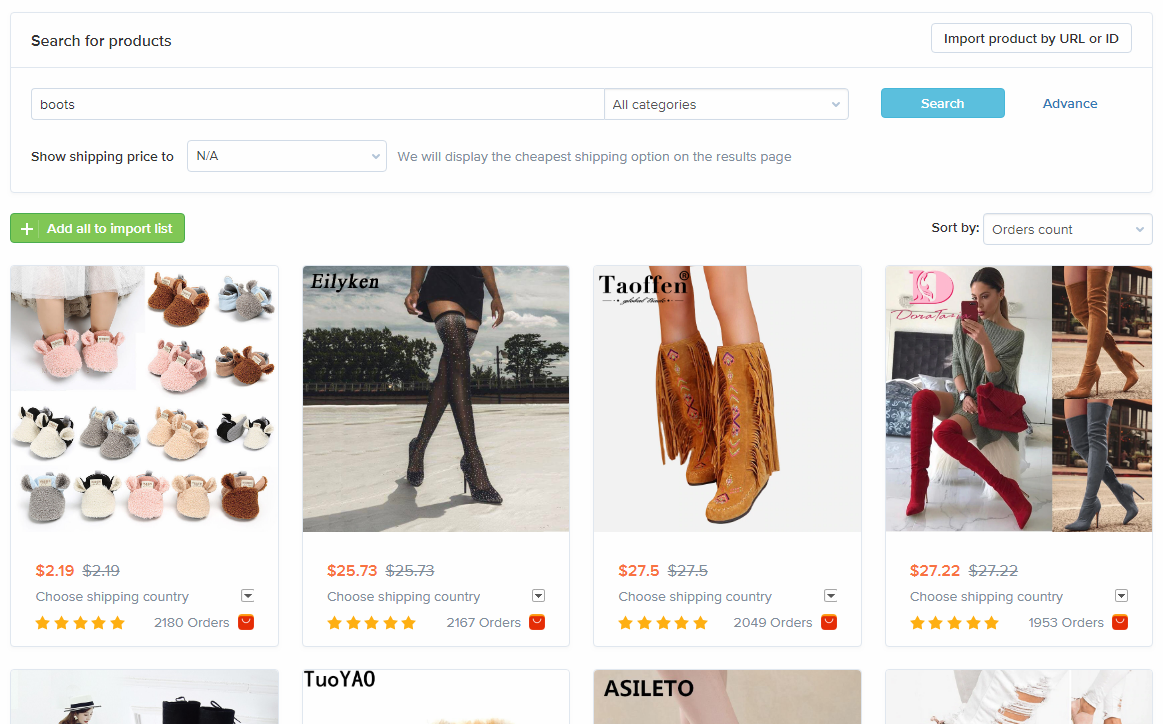
Built‑in search and import dashboard 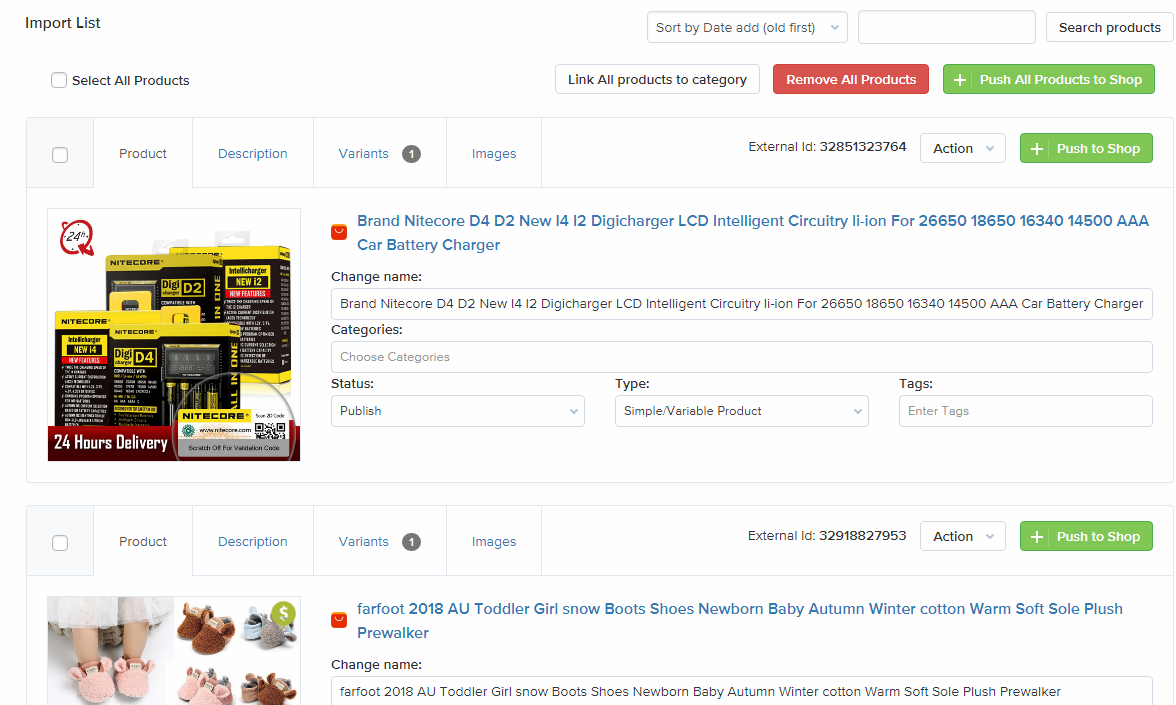
Import queue with inline WooCommerce product editing – see how the dropshipping plugin WooCommerce workflow looks in practice 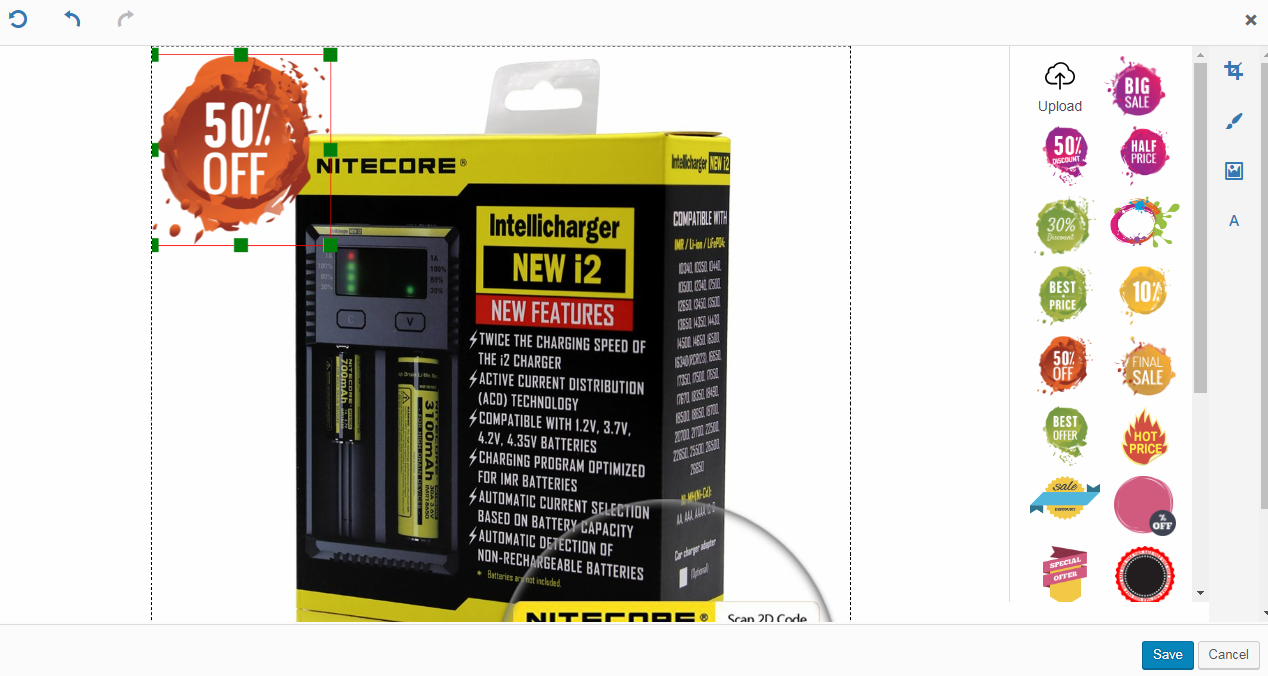
Built‑in image editor for removing AliExpress watermarks 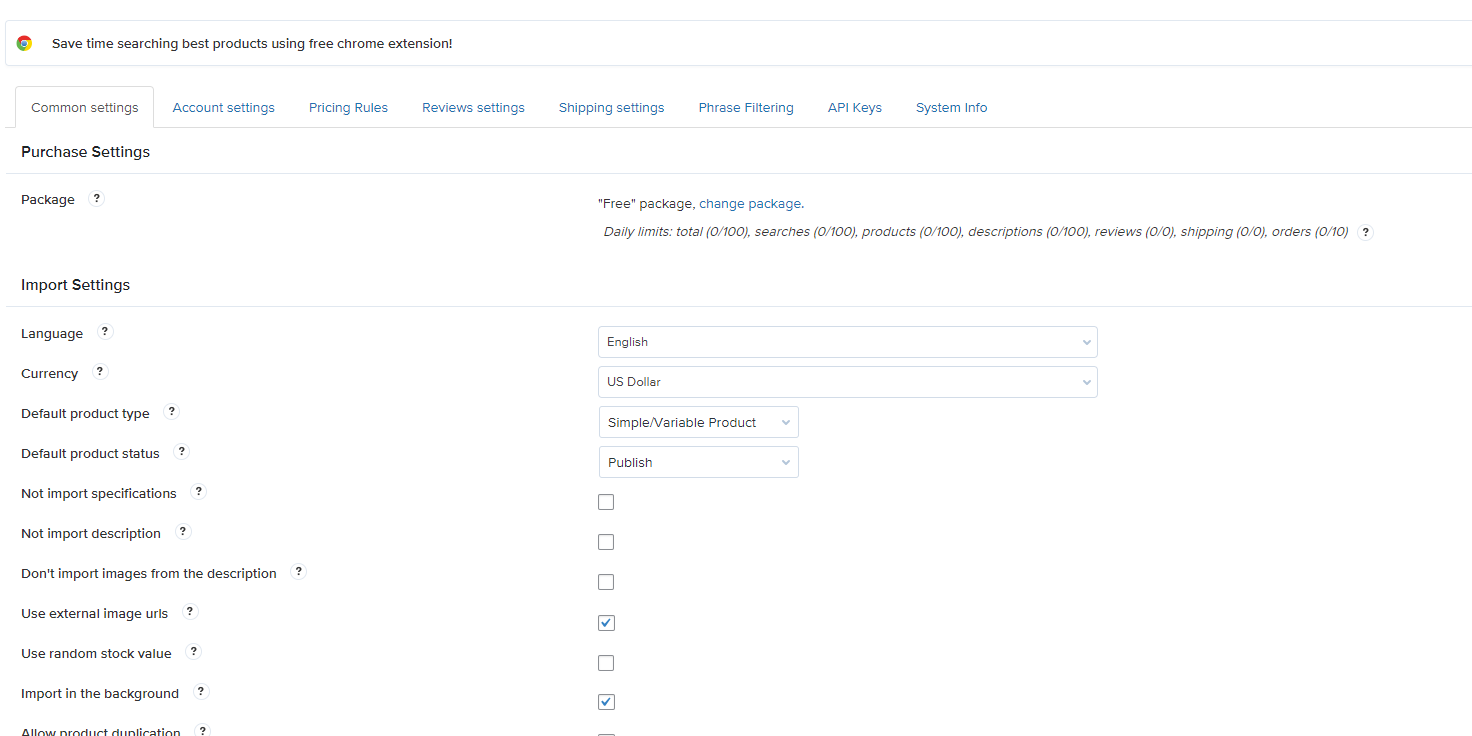
General settings page for plugin configuration 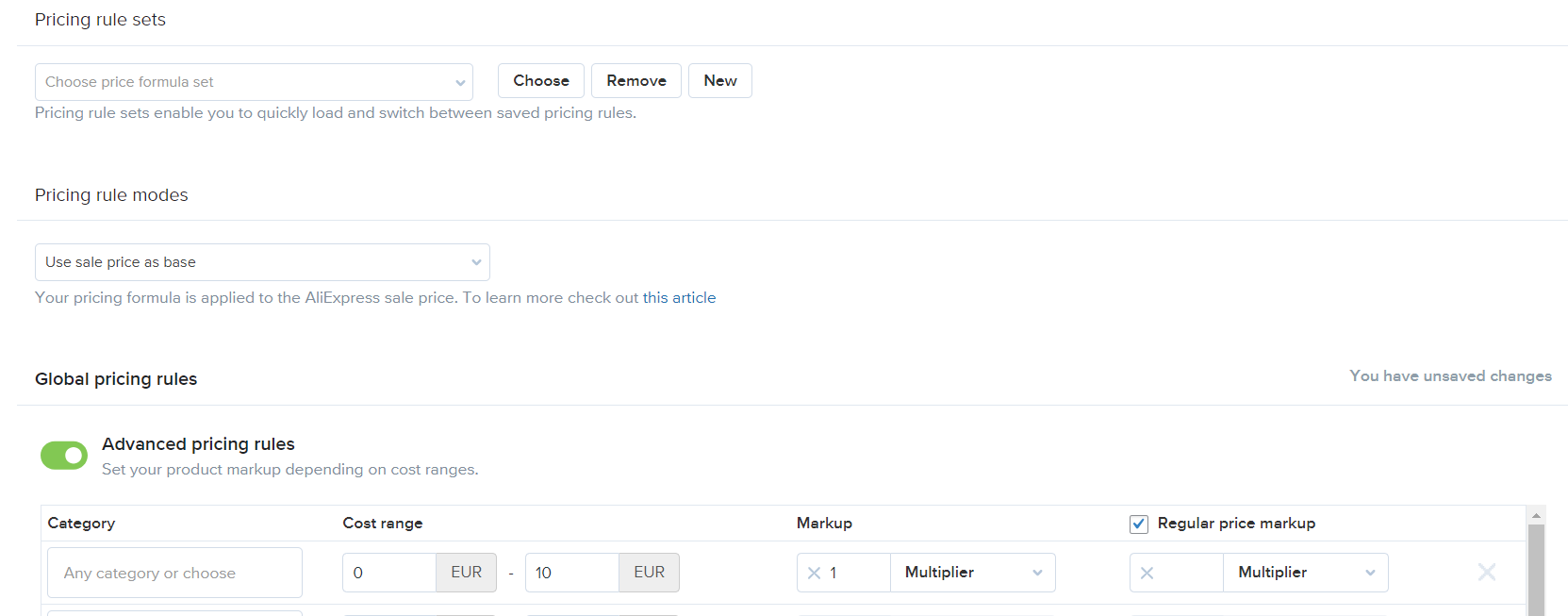
Global pricing settings 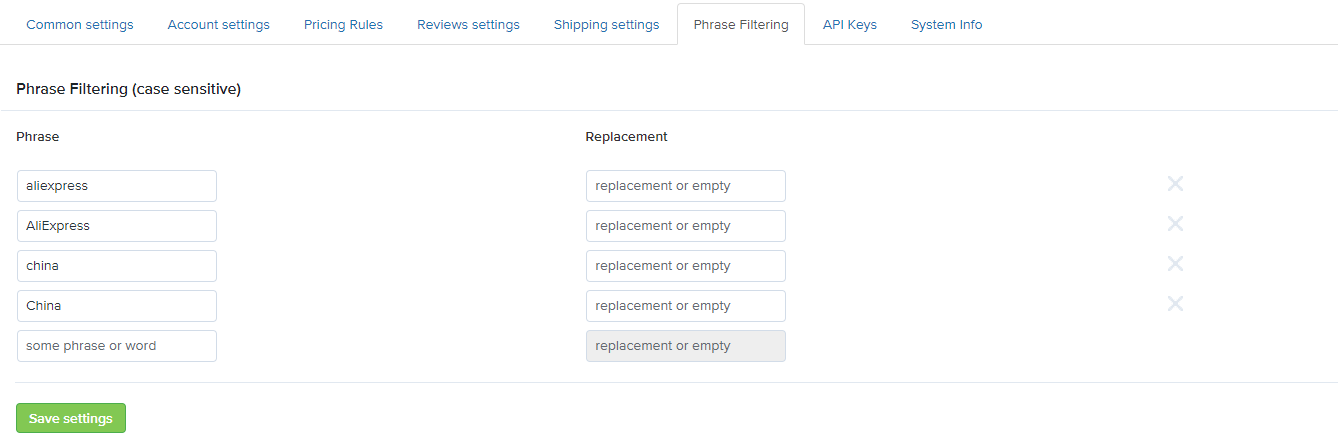
Phrase filtering rule builder for titles, descriptions, and reviews 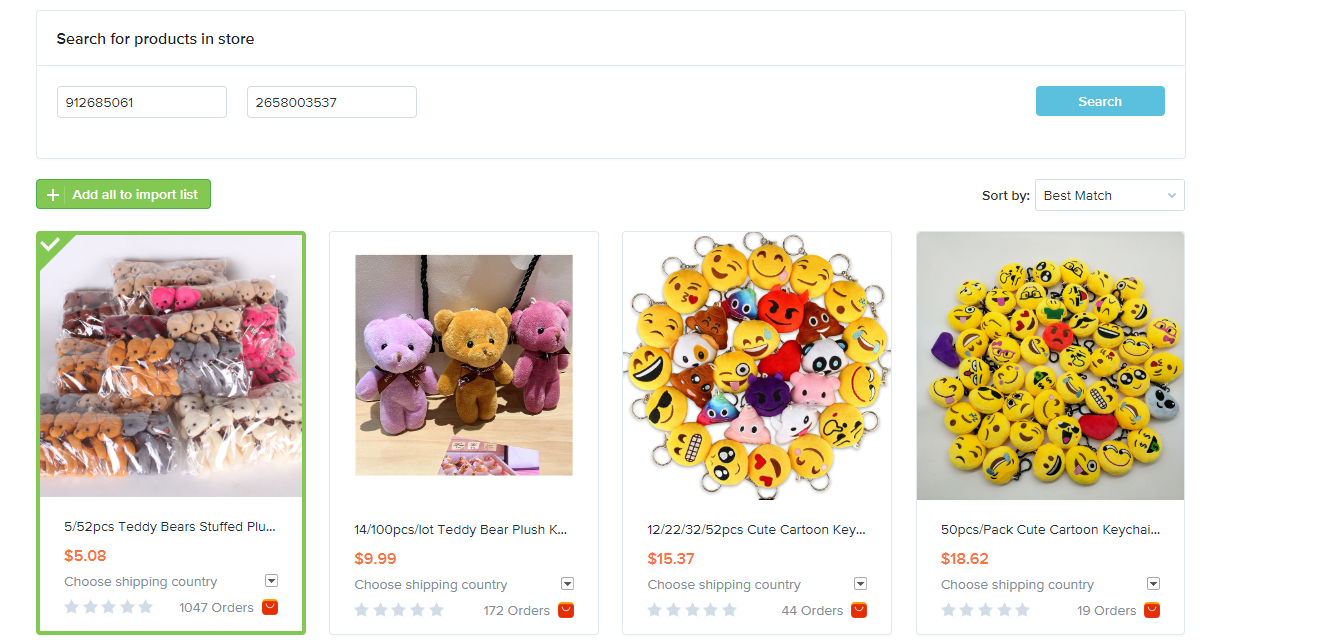
Store‑level search for items from a specific seller 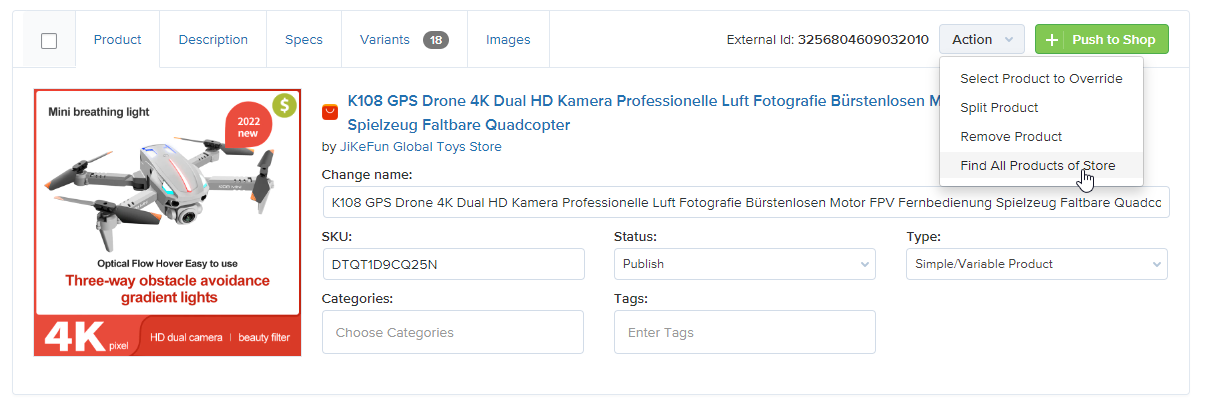
Quick search feature to import all goods from the same AliExpress store 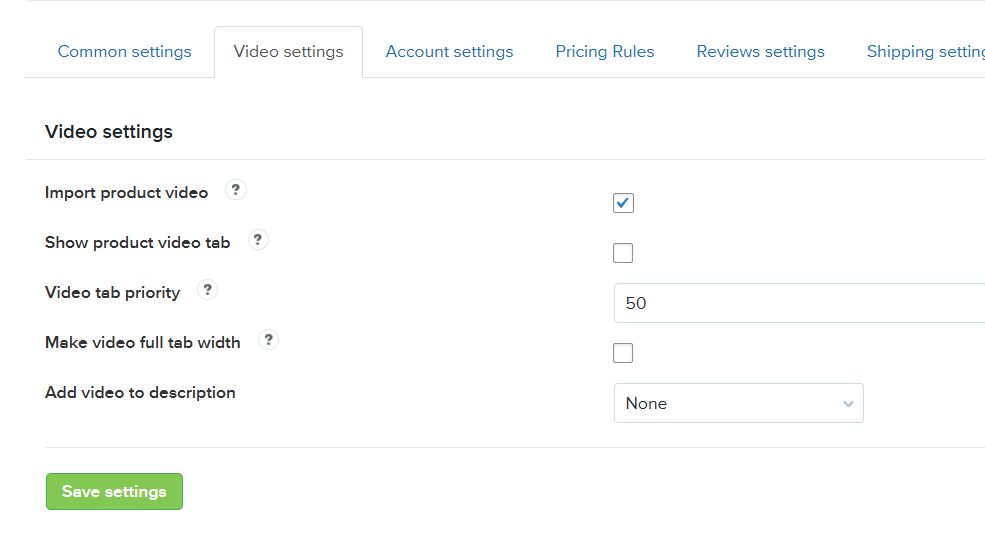
Video management interface for product videos
Installation
From within WordPress
- Visit Plugins > Add New
- Search for “AliNext Lite”
- Activate the plugin from your Plugins page
- Go to AliNext Lite > Settings to connect your AliExpress API token
Manually
- Upload the
alinext-litefolder to/wp-content/plugins/ - Activate the plugin from the Plugins menu in WordPress
- Go to AliNext Lite > Settings and configure import, pricing, and fulfillment options
⚠️ Important: Your permalink structure must NOT be set to “Plain” for proper product URLs.
FAQ
-
How do I fetch AliExpress products into WooCommerce with AliNext?
-
Go to AliNext > Import and paste the item URL or ID. You can also use the free browser extension to add items directly browsing the marketplace.
-
Can I bulk load items from AliExpress?
-
Yes. In Lite you can retrieve items one by one or in small batches. In Pro you can bulk load using CSV files, advanced filters, or entire categories.
-
How do I set up global pricing formulas for product import?
-
Navigate to AliNext > Settings > Pricing Rules. You can create fixed markups, percentage increases, or formula‑based rules. Pro users can also apply rules automatically to existing items.
-
Can I load AliExpress reviews and videos into WooCommerce?
-
Lite allows you to import product videos and display them via shortcode. In Pro, you can fetch and synchronize reviews with ratings, images, and translations into multiple languages.
-
How does AliNext handle order fulfillment?
-
Lite automates order placement and order status sync via the AliExpress Dropshipping API with limited daily operations. Pro removes these limits and adds advanced shipping automation, automatic product sync, and email alerts.
-
Is AliNext compatible with the AliExpress Affiliate Program?
-
Yes. AliNext Pro integrates with the Affiliate Program. Imported products can include affiliate links so you earn commissions on sales.
-
Can I remove supplier watermarks from product images?
-
Yes. The Pro version includes a built‑in image editor that lets you crop, edit, and remove watermarks from AliExpress images.
-
Is AliExpress dropshipping legal and allowed in WooCommerce?
-
Yes. This type of business is legal and widely practiced. The WooCommerce dropshipping plugin fully supports it, and AliNext works as a dropshipping helper that automates imports, pricing, and order fulfillment to keep you compliant.
-
What’s the difference between Lite and Pro?
-
Lite includes core features like item import, pricing formulas, phrase filtering, and limited API automation. Pro unlocks advanced features such as bulk CSV load, review sync and translation, shipping data sync, unlimited API operations, staff access control, automatic product sync, and premium support.
-
Can I use AliNext to build a WooCommerce dropshipping store for free?
-
Yes. This ali dropshipping plugin includes all the essential features to start a WooCommerce AliExpress dropshipping store at no cost. It’s powerful and reliable dropshipping solution for WooCommerce, letting you import products, set pricing formulas, and automate orders with limited daily API operations.
-
Does AliNext support order tracking numbers?
-
Yes. AliNext Pro automatically synchronizes AliExpress order updates. Tracking numbers are imported and attached to WooCommerce orders so your customers can follow their shipments.
Reviews


Contributors & Developers
“AliExpress Dropshipping Plugin for WooCommerce & WordPress” is open source software. The following people have contributed to this plugin.
Contributors
Translate “AliExpress Dropshipping Plugin for WooCommerce & WordPress” into your language.
Interested in development?
Browse the code, check out the SVN repository, or subscribe to the development log by RSS.
Changelog
3.6.7 – 2026-04-26
- Added compatibility AliNext with WooCommerce 10.4
- Fix: Various minor bug fixes
3.6.5 – 2026-01-25
- Premium: fixed js get shipping method bug in A2W data tab on product editing page
- Premium: fixed stop syncing product shipping if no available variation exists
- Add: automatically renew AliExpress access token when the current token is close to expiring
- Show setup wizard on plugin activation
- Add Cloudflare protection error handling to ping check
- Improve product override feature to account for delivered option from plugin settings
- Fix attribute columns padding in import list
- Fix: alinext style is not connected on the cart page
- Fix: Various minor bug fixes
3.6.4 – 2025-11-18
- Fix: Prevent price update when the calculated sale price exceeds the regular price due to an incorrect formula
- Fix: Resolved issue where product variations were not loaded on certain WordPress installations during import
- Fix: Various minor bug fixes
3.6.3 – 2025-09-29
- Premium: Added “delivery time only” option in shipping settings
- Premium: Fixed duplicate review import issue
- Premium: Added feature to sync assigned shipping option with WooCommerce products
- Premium: Added ZA – South Africa region support
- Security: Added nonce protection and saved selected sort option in cookie for import list
- Refactored legacy modules and functions for better performance
- Fixed minor issues and corrected typos in plugin texts
3.6.2 – 2025-09-11
- Added compatibility AliNext with WooCommerce 9.10.*
- Fixed multi-quantity shipping data accuracy.
- Performance optimizations and minor bug fixes.
3.6.1 – 2025-07-24
- Premium: Auto-applied default or lowest-cost shipping on import.
- Premium: New “Mass Apply Shipping Method” modal for bulk updates.
- Minor UI and performance tweaks.